


Tuya Smart Life ZigBee Energy Monitor, 1, 2 Channel Bidirectional with Current Sensor, App Monitor Power, 110V, 240V, 50Hz, 60Hz
Tuya Smart Life ZigBee Energy Monitor, 1, 2 Channel Bidirectional with Current Sensor, App Monitor Power, 110V, 240V, 50Hz, 60Hz


10% OFF
New Customers (use code: WELCOME10)
FREE Delivery
For first-time users (use code: DELIVERY)
Couldn't load pickup availability
Delivered in: 5-10 working days
Product Information
Product Information
At Electraaa, we bring you high-quality electronic products that combine smart technology with reliable performance. Every item in our collection is carefully selected for durability, ease of use, and value — making your daily life simpler, faster, and more convenient.
Whether it’s for home, work, or on the go, our electronics are built to deliver:
- ⚡ Reliable performance you can count on
- 🔋 Energy-efficient designs that last longer
- 📱 Modern features for a seamless user experience
- 🛡️ Quality-tested materials for long-term durability
From practical gadgets to essential accessories, our products are made to enhance your lifestyle and keep you connected. Smart, affordable, and designed with you in mind — that’s Electraaa.
Shipping Information
Shipping Information
We aim to make your shopping experience smooth and reliable. All orders are carefully processed and shipped within our standard delivery window.
- 🚚 Delivery Time: 7–10 business days
- 📦 Order Processing: Orders are packed and dispatched promptly to ensure timely delivery
- 🌍 Shipping Locations: We ship to all major regions
- 🔔 Tracking: You’ll receive tracking details as soon as your order is shipped
- 🛡️ Secure Packaging: All items are packaged with care to protect your electronics during transit
If you have any questions about your shipment or delivery, feel free to contact our support team — we’re always here to help!
Refunds & Returns
Refunds & Returns
We want you to feel confident when shopping with Electraaa. If you’re not completely satisfied with your purchase, we offer a hassle-free return process.
- 🔄 30-Day Money Back Guarantee: If you don’t like the product for any reason, simply return it within 30 days of purchase for a full refund.
- 📦 Return Condition: Items should be returned in their original condition with all accessories included.
- 💰 Fast Refunds: Once we receive and inspect the returned item, your refund will be processed promptly to your original payment method.
- ✉️ How to Start a Return: Contact our support team with your order number and we’ll guide you through the simple return process.
Your satisfaction matters to us — shop with peace of mind knowing you're protected by our guarantee.


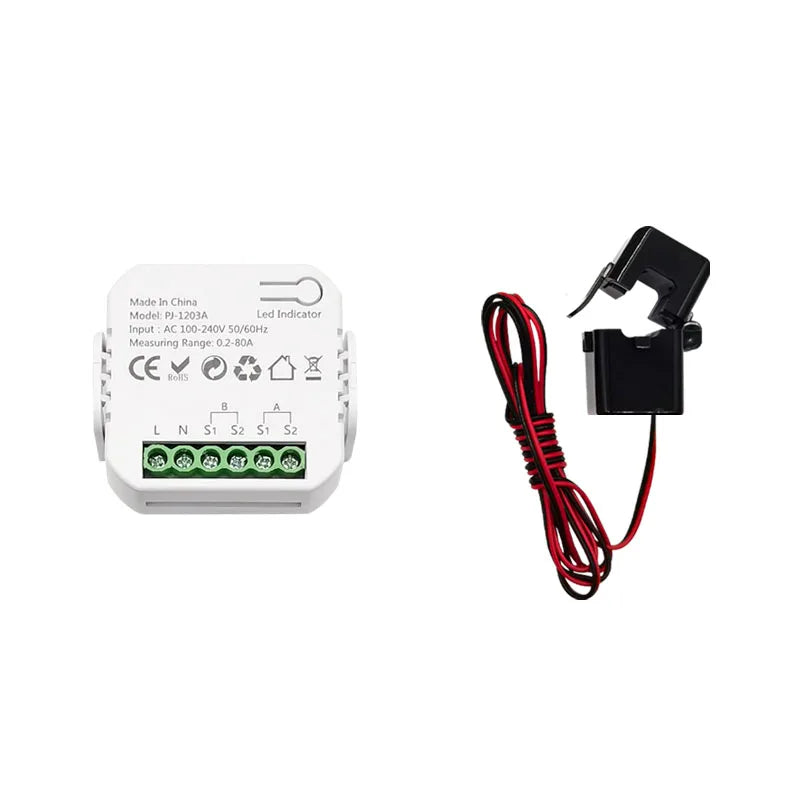
Product Details
Tuya Smart Life ZigBee Energy Monitor, 1, 2 Channel Bidirectional with Current Sensor, App Monitor Power, 110V, 240V, 50Hz, 60Hz

FAQ
Q: Why can't my device connect to 2.4G WiFi?
A: This is a ZigBee device, it can't connect WIFI signal directly, but require a Tuya ZigBee gateway as hub to work, please make sure you have a Tuya ZigBee gateway to work with this item.
Q: Is it ZigBee 3.0 standard Item?
A: No. It's Tuya ZigBee device, not ZigBee 3.0. so it can only work Tuya ZigBee Gateway.
Q: Is this device compatible with Zigbee2MQTT?
A: Sure. But you need to know how to set it up. Internal id: _TZE284_81yrt3lo. You may need to install a quirk: 'github.com/jeverley/zha-device-handlers/blob/ts0601_energy_meter_devices/zhaquirks/tuya/ts0601_energy_meter.py'
Q: Is this device compatible with Home Assistant?
A: No, it's not compatible. You need configure it with ZigBee2MQTT first, then it can work with Home Assistant. If you don't know how to configure it, please use the Tuya Smart or Smart Life APP.
Q: Does the equipment have an overload alarm function?
A: Sorry, it doesn't have this function.
A Tuya Gateway is Required
Please Note this device requires a Tuya ZigBee Gateway to work. Because it can not receive 2.4G wifi signals directly.


App can display Channel A and B Real-time power, current, voltage for Forward and Reverse direction clrealy
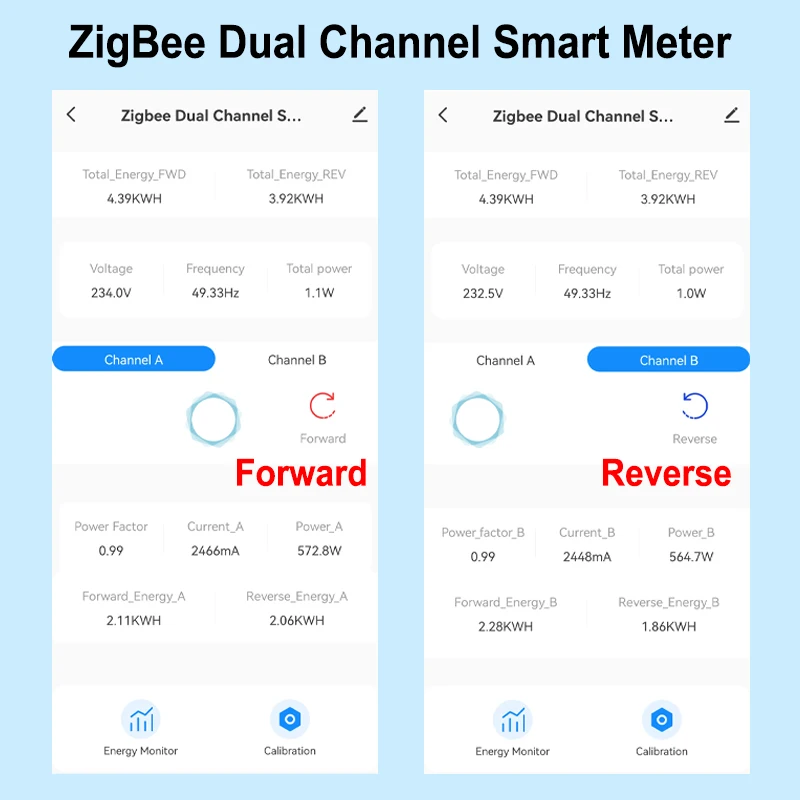
2 Channels For Reverse and Forward direction
1 Channle or 2 Channels are available to Choose
And you can read from App for each Channel
- Real-time total power of 2 channels of reverse and forward direction
- Power for Channel A and B Separately(W)
- Current(mA)
- Voltage(V),
- Power factor, and Frequency(Hz)
Electricity Statistic for each channel in Forward and Reverse direction.
Hourly Elec. (KWh)
Daily Elec. (KWh),
Monthly Elec. (KWh)
-Yearly Elec. (KWh)
Technical data:
Rated Voltage:100-240V AC 50/60Hz
Measurable Current Range: 0.2A-80A
Wireless Protocol: ZigBee
Ambient Temperature Range:-10°C ~ 55°C
Electricity Statistic Channel A , B Separately and Total daily monthly, yearly Reverse and Forward Direction
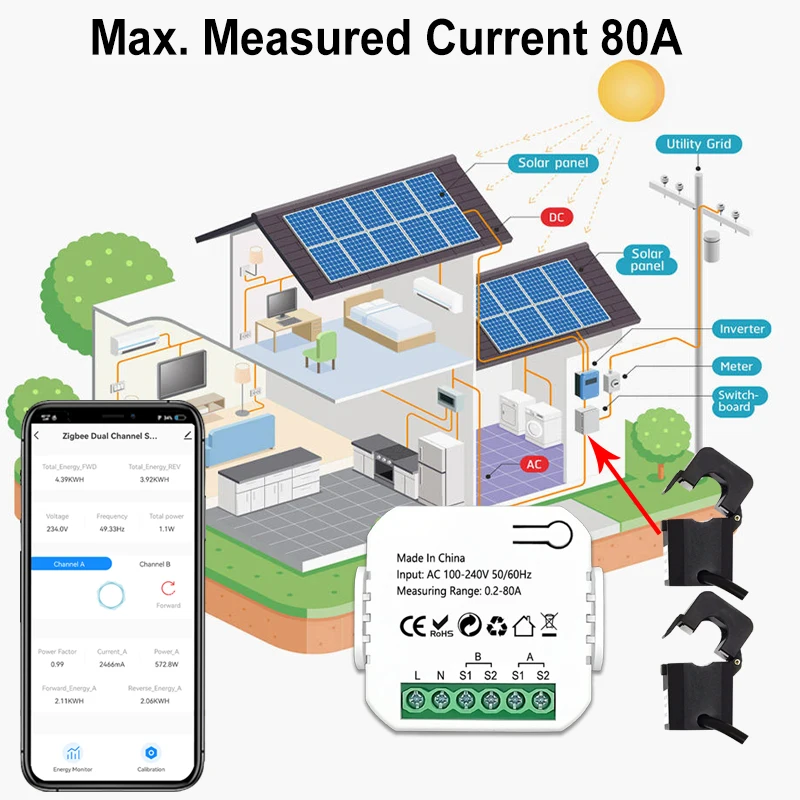
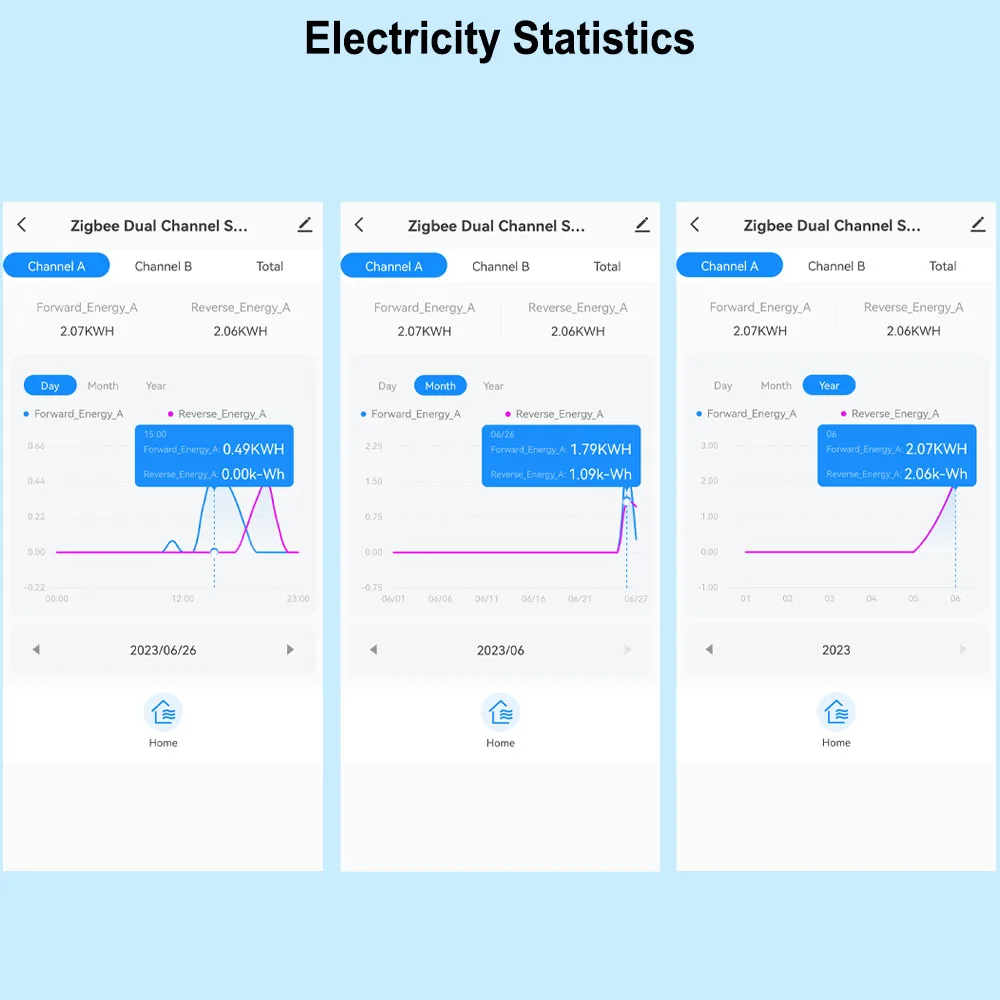
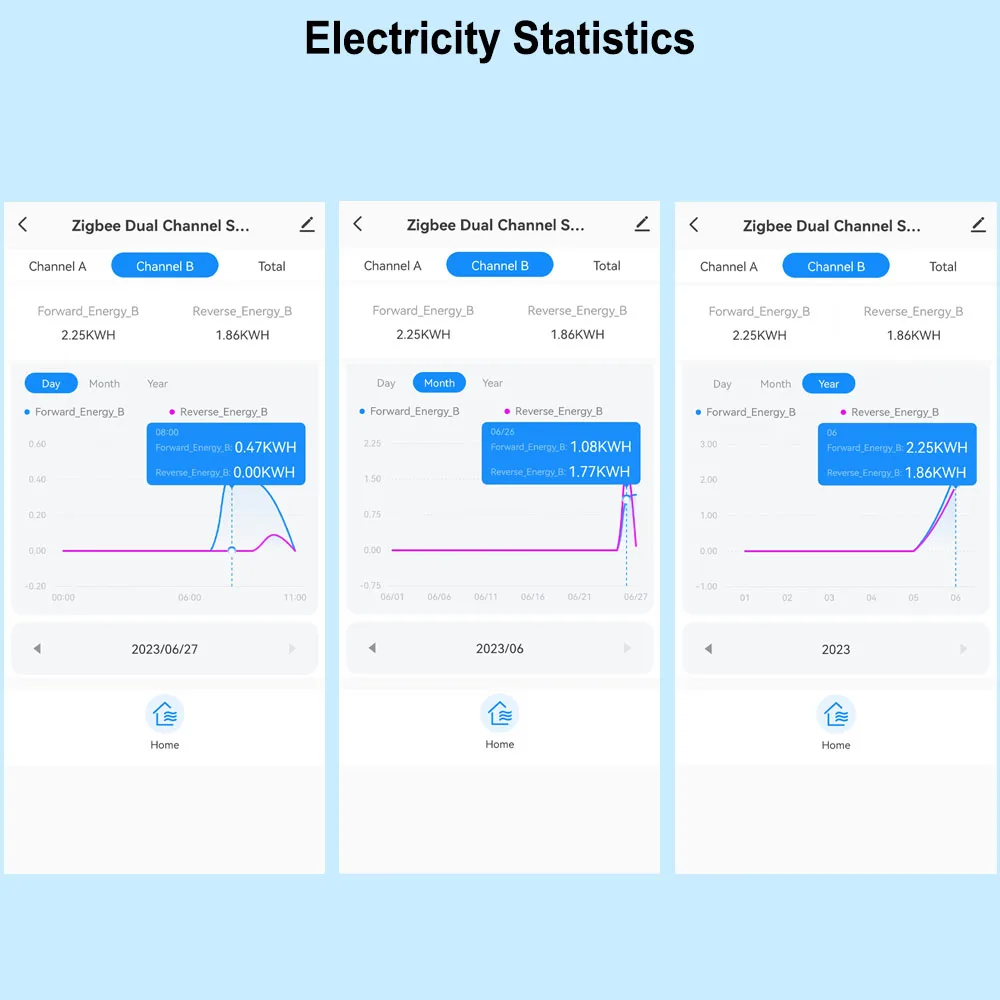
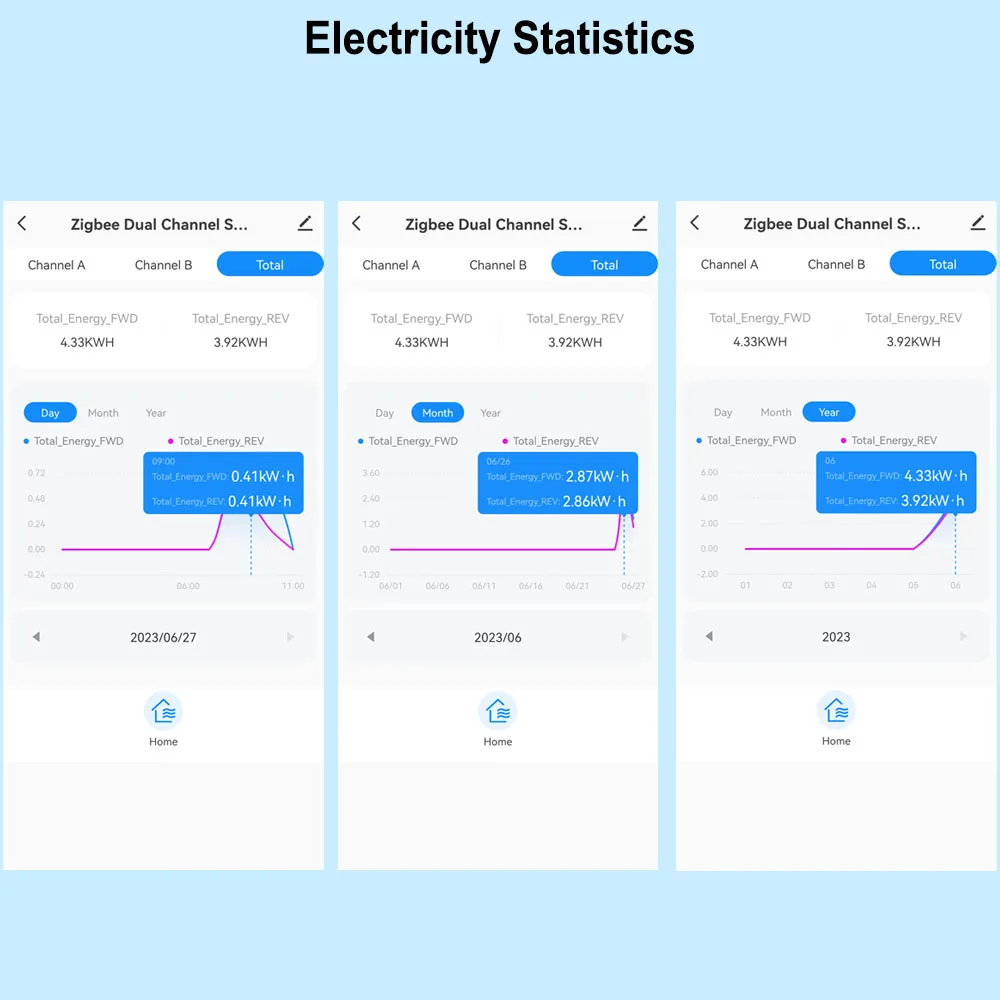
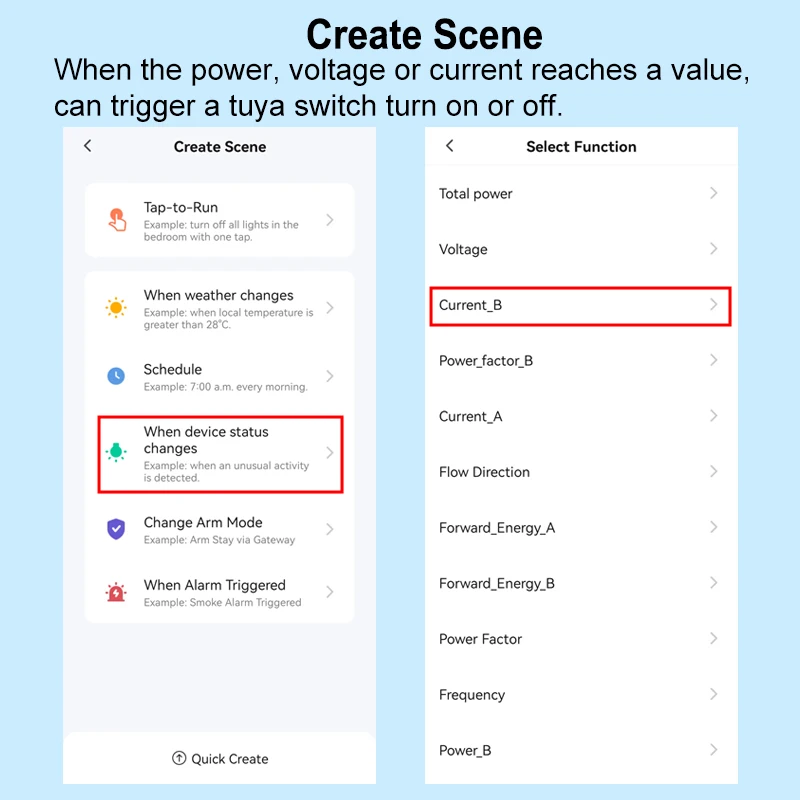
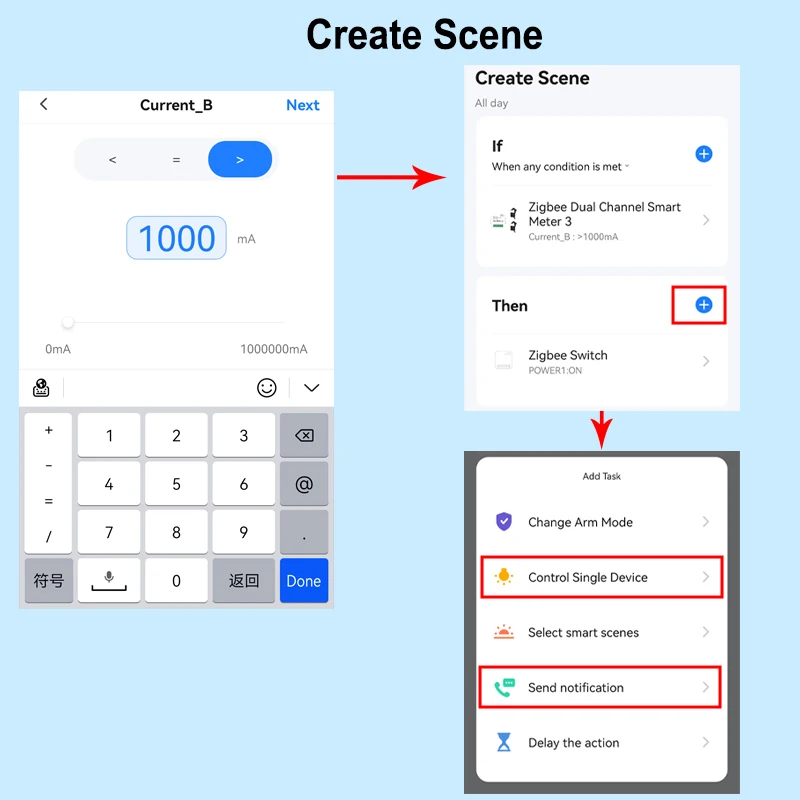
Automation , It allows to make a Scene for this device working with other tuya devices
For example, If Power or Current Is over the Value, then other tuya device starts to work .
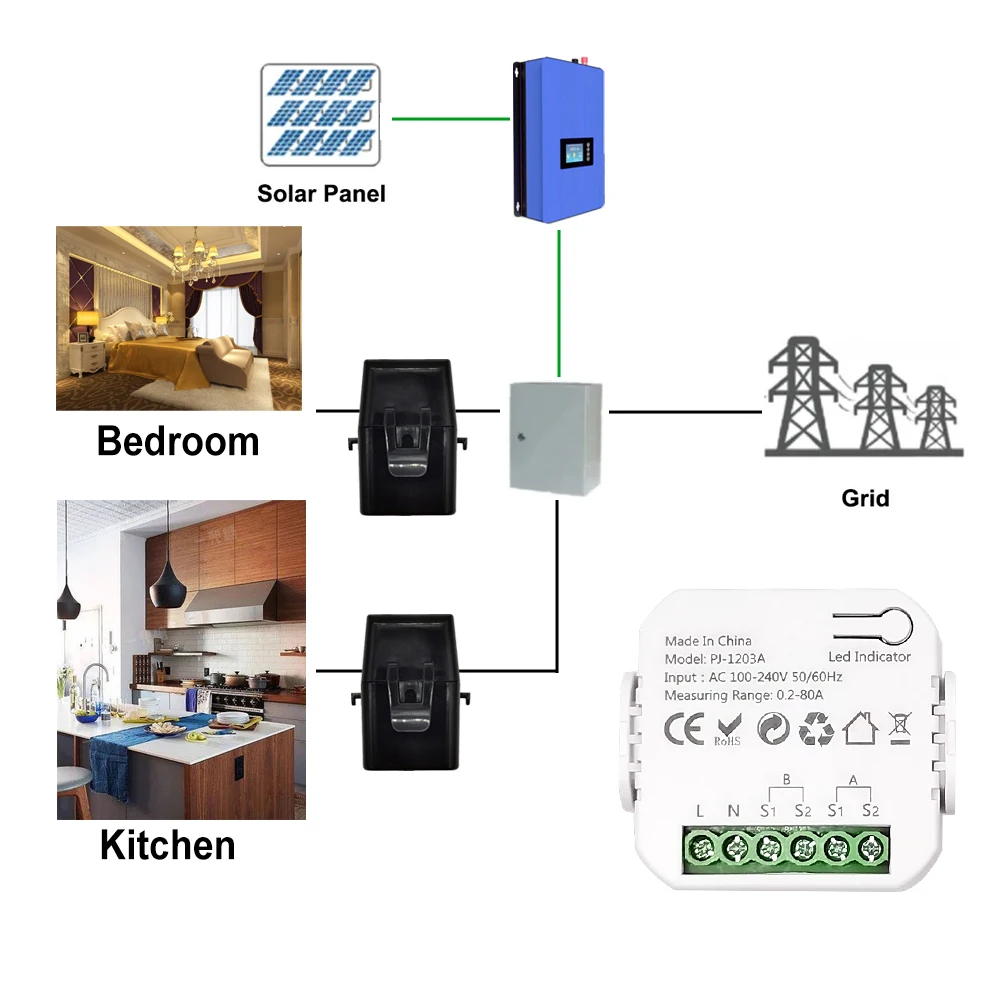
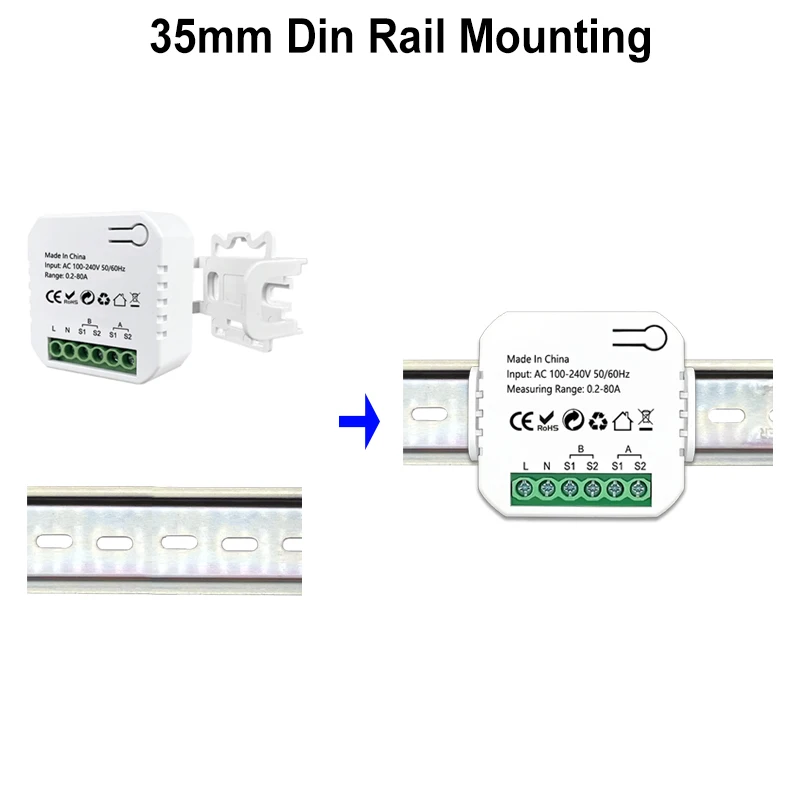
Wiring Diagram




Next-Gen Electronics Built for You
Smart. Durable. Future-Ready
Technology that adapts to your lifestyle, enhances your productivity, and stays ahead of the curve.

Love from our customers
 Verified Verified Verified Verified Verified Verified
| Feature | Electra | Others |
|---|---|---|
| Exceptional Product Quality | ✔ | ✘ |
| 24/7 Customer Support | ✔ | ✘ |
| Fast 5-10 Day Shipping | ✔ | ✘ |
| Proudly Designed in Australia | ✔ | ✔ |
| Money-Back Guarantee | ✔ | ✔ |
SCROLL THROUGH THE LOVE ❤️
 "Amazing battery life!"
"Fast shipping, great quality."
"Works perfectly, love it!"
"Best gadget I’ve bought!"
"Crystal clear display!"
"So easy to set up!"
"Super lightweight and sleek."
"Charges super fast!"
"Exceeded my expectations!"
"Great value for money."
"Perfect for gaming!"
"Incredible sound quality."
"Durable and well-built."
"Love the modern design!"br>
new line
"A must-have for tech lovers!"
"Feels premium and solid."
"Highly recommend this!"
"Easy to use, very intuitive."
"Super fast and responsive."
"Fits my needs perfectly!"
"Best tech purchase ever!"
"Really happy with it!"
"Quality is top-notch!"
"Looks and feels amazing."
"Performance is outstanding!"
"Came well packaged!"
"Would buy again, no doubt!"
"A must-have for tech lovers!"
"Amazing battery life!"
"Fast shipping, great quality."
"Works perfectly, love it!"
"Best gadget I’ve bought!"
"Crystal clear display!"
"So easy to set up!"
"Super lightweight and sleek."
"Charges super fast!"
"Exceeded my expectations!"
"Great value for money."
"Perfect for gaming!"
"Incredible sound quality."
"Durable and well-built."
"Love the modern design!"br>
new line
"A must-have for tech lovers!"
"Feels premium and solid."
"Highly recommend this!"
"Easy to use, very intuitive."
"Super fast and responsive."
"Fits my needs perfectly!"
"Best tech purchase ever!"
"Really happy with it!"
"Quality is top-notch!"
"Looks and feels amazing."
"Performance is outstanding!"
"Came well packaged!"
"Would buy again, no doubt!"
"A must-have for tech lovers!"